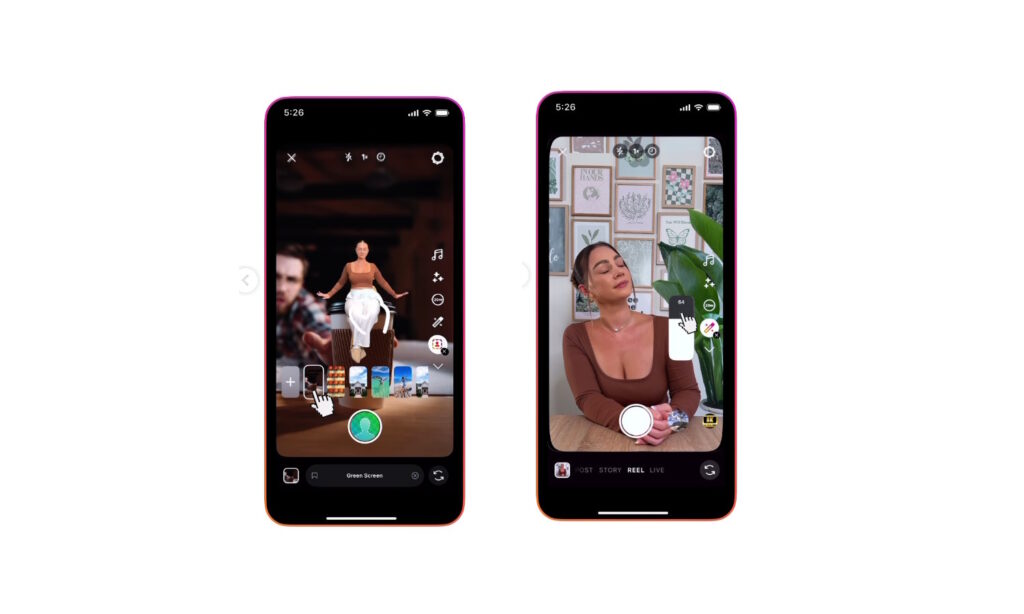
Instagram is rolling out a redesigned Reels camera that makes it much easier to capture, edit, and publish videos directly inside the app, without needing a separate video editor. The update focuses on usability for creators who shoot content on-the-go, especially brands and influencers using Instagram Reels for social media marketing.
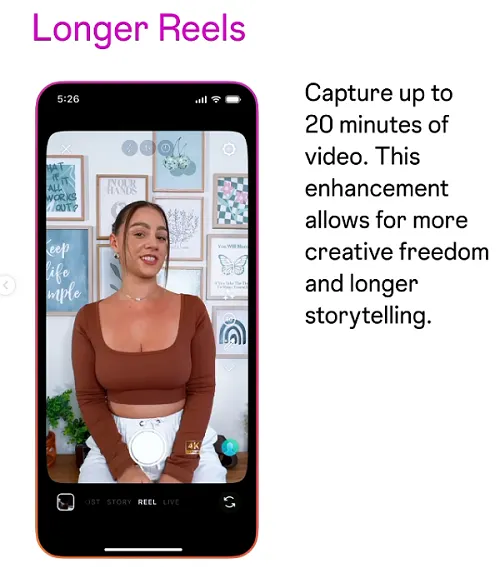
One of the biggest changes is the extended recording limit, which now supports up to 20 minutes per Reel when recording in-stream. This opens up more room for tutorials, vlogs, and storytelling, while still keeping Reels as a key format for Instagram video content.
New editing tools: undo, touch-up slider, and better timing controls
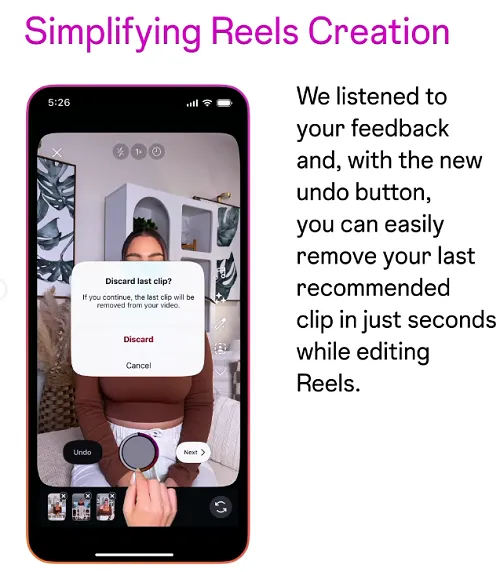
Instagram is also improving the in-app editing experience to support Reels creators who want to edit directly on the platform. A simplified Undo option now makes it easier to remove your last clip from the timeline without starting the whole edit again, speeding up the Reels workflow for fast content creation.
The Touch-Up feature has been upgraded with a new intensity slider, giving more control over how strong the effect appears on your face and video. This helps creators maintain a natural look while still enhancing their on-camera presence for personal branding and professional content.
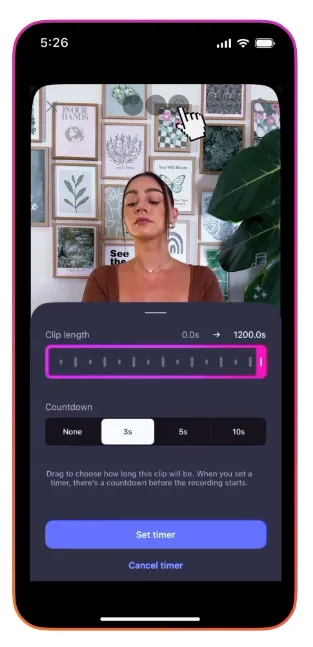
In addition, Instagram has improved the green screen experience plus time and countdown tools, making it easier to align your shots, transitions, and lip-syncs for polished Reels. These updates are especially useful for social media managers, UGC creators, and brands shooting content quickly from their phone.
When to use Instagram’s Edits app instead
While the new Reels camera update is powerful, Instagram still recommends its separate Edits app for more advanced video editing. Edits offers deeper control over cuts, transitions, audio layers, and fine-tuning, making it better suited for complex content or longer-form vertical videos.
A smart workflow for creators and marketers is to use the Reels camera for quick, native, trending content and rely on Edits (or other pro tools) when producing high-production campaigns or series. This hybrid approach keeps your content fast, platform-native, and optimized for the Instagram algorithm, while still allowing more advanced edits when needed.
How creators and brands can use this Instagram Reels update
Here are a few practical ways to use the new Instagram Reels camera features for growth and engagement:
-
Use 20-minute recording to batch record talking-head content, tutorials, and FAQ sessions, then cut them into multiple short Reels for better reach.
-
Take advantage of the Undo feature to test creative angles and clips without worrying about “ruining” your timeline.
-
Adjust the Touch-Up slider to match your brand style—more polished for professional niches, more natural for personal brands.
-
Combine improved countdown and timing tools with trending audio to create smooth transitions and on-beat edits that perform well on the Reels explore page.